The four paths
| Path | Money | Time | The catch |
|---|---|---|---|
| Same or current-generation panel | Hardware + the project download | Days–weeks: lead time varies by model | The new panel arrives empty — the WinCC project must be downloaded from a compatible TIA Portal, so whoever holds the project file is now on your critical path |
| Migrate to a Unified Comfort Panel | Hardware + engineering hours | Weeks: migration + rework + testing | WinCC Unified is a different runtime — screens, scripts and faceplates may need rework; it's a small project, not a swap |
| Used / new-old-stock unit | Prices vary wildly | Days–weeks | Unknown hours, no warranty, and the project download is still required |
| Repair the dead unit | $300–$1,000 for common faults | 1–2 weeks + shipping | Keeps its project — often the best move when the project file is missing; on a phased-out model it buys time, not a future |
Not sure the panel is actually dead? Power, backlight and PROFINET explain a surprising share of "dead" panels — run the symptom checklist first.
Step zero: a temporary screen from a phone, today
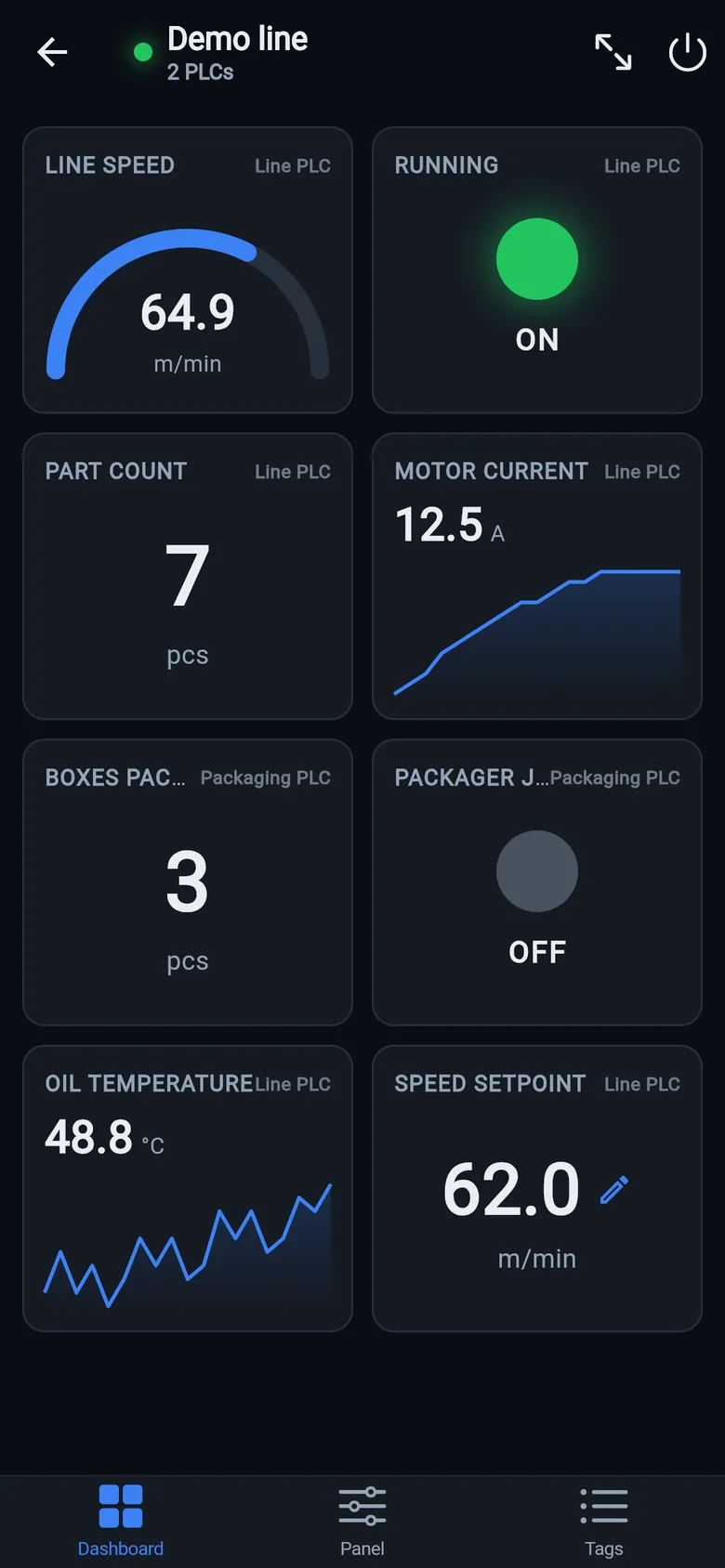
Whichever path you pick, the operator doesn't have to fly blind while hardware ships. The free LineKeeper Go for iPhone and iPad speaks S7comm directly to S7-300, S7-400, S7-1200 and S7-1500 CPUs — no logic changes, no gateway hardware, no cloud (S7-1200/1500: enable PUT/GET; optimized DBs need absolute addresses). Add the points that matter by absolute address (DB1.DBD4, M0.0, IW2) with a live value preview, build a dashboard and an operator panel with start/stop buttons, and mount a spare iPad in full-screen panel mode. Don't know an address? Patent-pending Find by action recovers it from the machine's own pushbutton.
 On a desktop? Scan with your iPhone or iPad to get the free app.
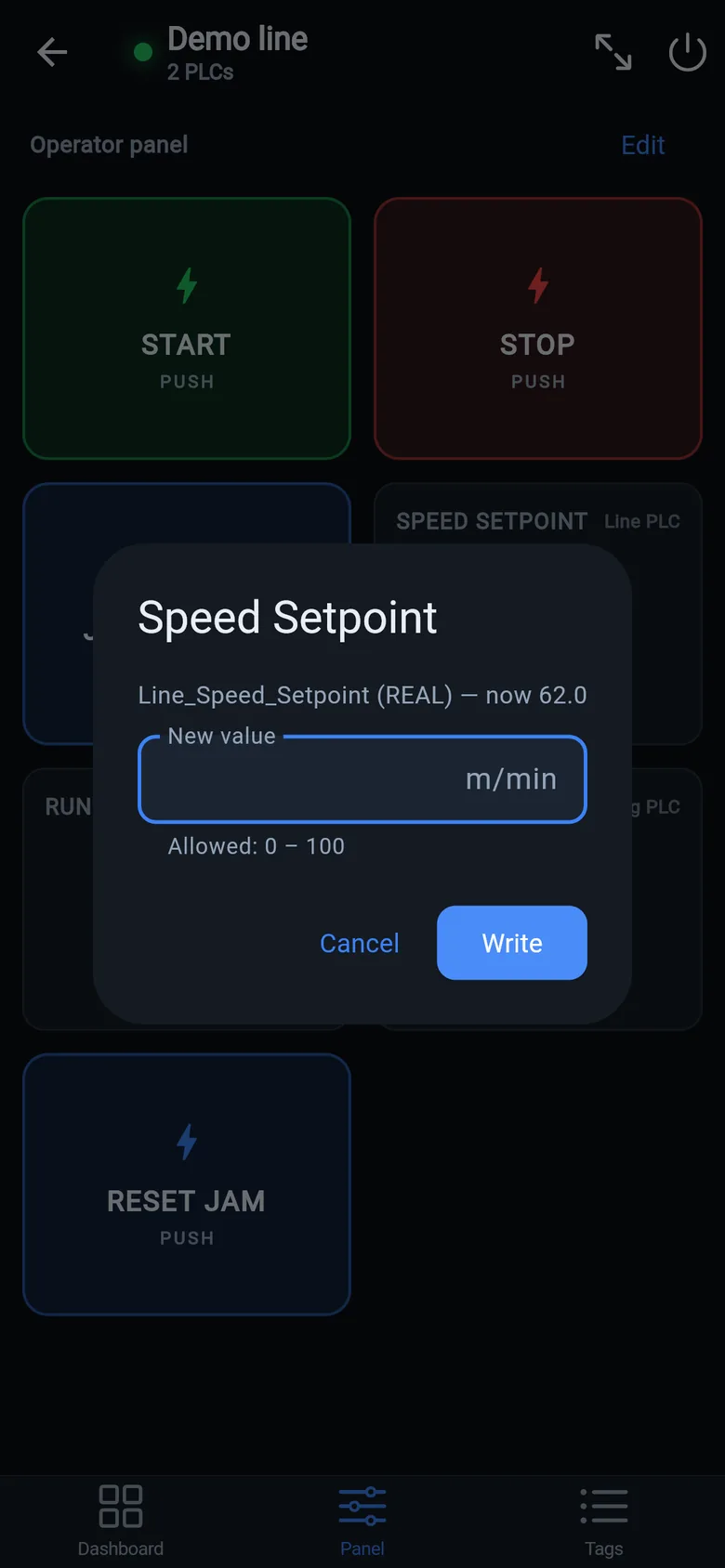
S7-1200/1500 note: Siemens ships these CPUs with PUT/GET communication disabled and "optimized" data blocks. When a CPU refuses, the app detects it and shows the exact TIA Portal steps to fix each case — instead of a silent timeout.
Why "bridge first" often wins
The expensive mistake is deciding under pressure — rush-buying a used unit sight-unseen, or signing a migration quote you haven't compared. A temporary screen removes the time pressure:
- Production continues. The S7 PLC keeps running its program; the phone gives the operator the values and buttons the panel used to show.
- You choose the migration on your schedule — with the project file located, TIA Portal versions checked, and quotes compared instead of improvised.
- Nothing is wasted afterwards. The app stays useful as a pocket diagnostics tool once the new panel lands.
Small hardware that helps while the panel is out: a Wi-Fi bridge or a USB-C Ethernet adapter to get the phone onto the machine network, a pole-mount arm for the temporary screen, an IP67 box for the bridge. What each one is for, and when you don't need it, is on the gear list.
Honest scope note: the LineKeeper 7″/10″ bridge device is on preorder (7″ $800, 10″ $900 one-time; ships within 8 weeks of order, full refund before shipping, 30-day money-back after delivery) — its software speaks EtherNet/IP, SLC-500/MicroLogix, PowerFlex drives, Siemens S7, Modbus TCP/RTU and OPC UA. For Siemens machines the bridge today is the free phone app, which is why this guide leads with it. If your plant mixes brands, one app profile can hold the S7 packager and the Allen-Bradley line PLC behind a single dashboard.
Panel just went dark and you're reading this from the plant floor? Start with the Siemens symptom checklist — a share of "dead" panels is a $40 power supply or a repairable backlight — or the brand-agnostic 10-minute triage guide.