From an IP address to a screen, in about 15 minutes
- Get on the controller's network. Plant Wi-Fi that routes to the PLC VLAN, or a USB-C Ethernet adapter straight into a spare switch port. If the phone can ping the CompactLogix, the app can connect.
- Scan — or type the IP. One sweep of the subnet identifies EtherNet/IP controllers (and, along the way, Modbus and Siemens devices). Adding by hand is just the IP plus the CPU slot — on a compact CompactLogix it's usually 0.
- The tag list arrives by itself. Nothing to configure: tags, UDTs, arrays, timers, counters and I/O modules appear with live values and a search box on top.
- Build the dashboard. Number, gauge, LED and trend tiles across pages. Several PLCs of the same machine fit on one screen.
- Add the panel buttons. Start/stop pulses, latching switches, setpoints and status lamps. Full-screen mode keeps the phone awake next to the machine.
- Share the profile. Export it as a file and a colleague gets the whole machine — tags, dashboard and panel — on their phone.
What works and what doesn't: the Logix 5000 family over EtherNet/IP — CompactLogix and ControlLogix. Micro800, SLC-500 and PLC-5 are not supported; if your machine runs one of those, anything speaking Modbus TCP on the same network is still reachable. We'd rather tell you before you download the app.
CompactLogix won't communicate: what to check
| Symptom | Usual cause | What to do |
|---|---|---|
| The scan finds nothing | The phone is on another subnet or on guest Wi-Fi | Confirm you can ping the PLC from that same network |
| Ping yes, connection no | Port 44818 blocked by an ACL, firewall or VLAN | Ask IT to open EtherNet/IP to that controller |
| Connects but no tags appear | Wrong CPU slot in a multi-card chassis | Fix the slot; a compact CompactLogix is usually slot 0 |
| Connects, then drops | Duplicate IP on the machine network | Find the conflict before blaming the app |
| Tags you know exist are missing | They're program-scoped, not controller-scoped | Look under their program in the browser |
Is the operator panel dead rather than the PLC? See PanelView Plus 7 not working and the 10-minute triage guide.
When the tag doesn't show up in any list
Sometimes the name is no help: B3_12, N7_4, or the classic legacy tag from a migration nobody documented. Patent-pending Find by action solves it from the physical side: press the machine's real button in the rhythm the app dictates and it returns the bit that answered. For a setpoint, nudge it one step on the machine's own controls, and the app narrows the list to the tag that changed — scale factors included.
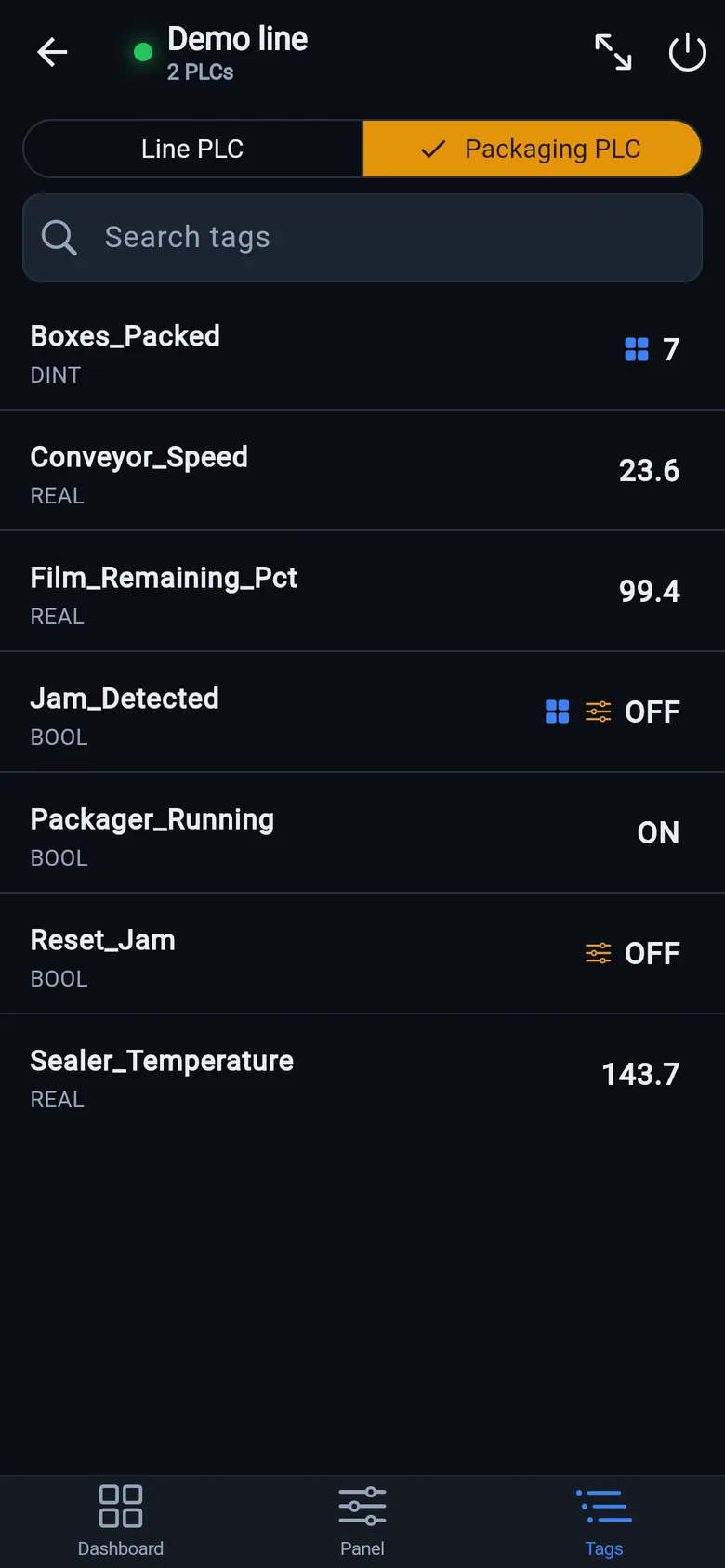
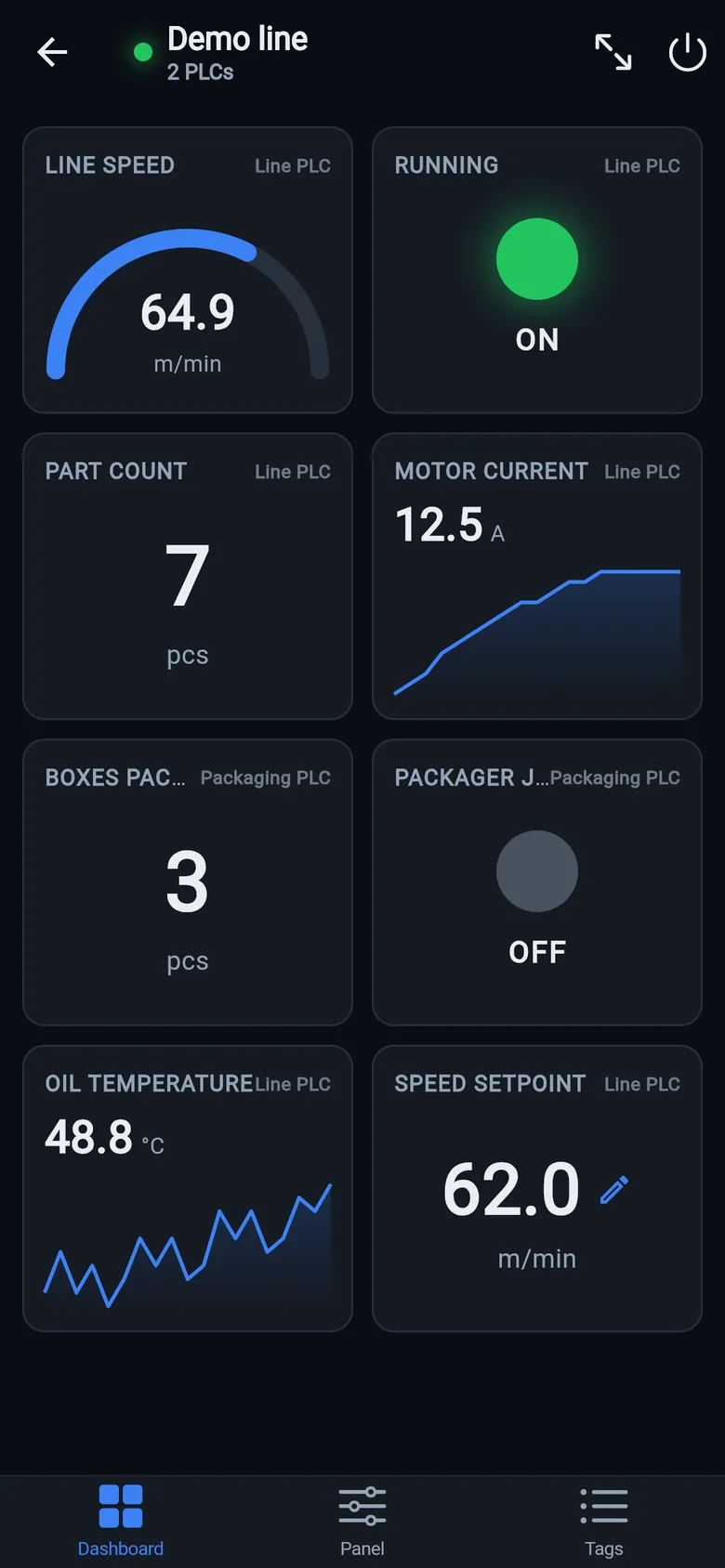
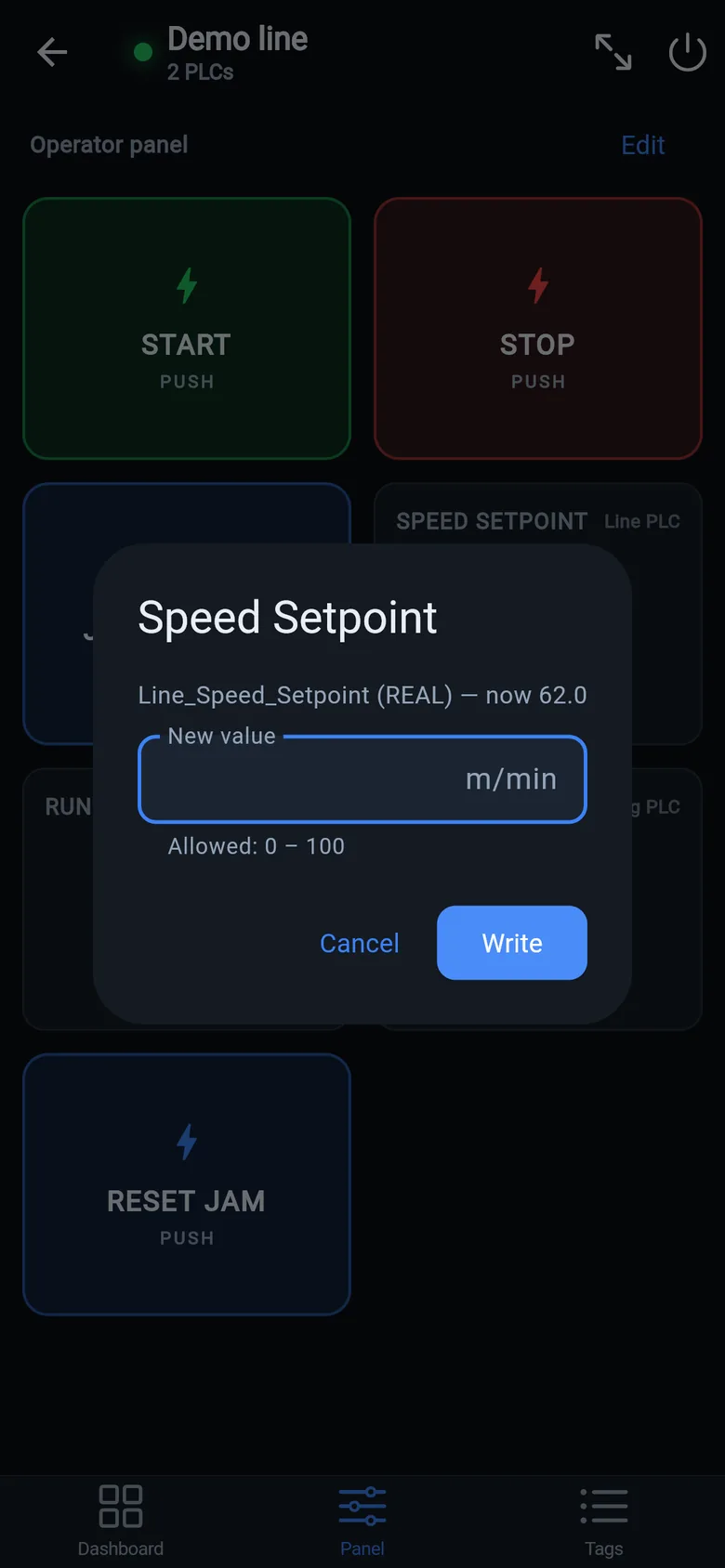
No program changes, no gateway, no cloud
The app speaks the same protocol an HMI would. Nothing is installed on the controller, and values go from the PLC straight to your phone. Reading is free; writing is a one-time unlock, no subscription.
 On a desktop? Scan with your iPhone or iPad to get the free app.