Made for how Modbus actually gets used
One scan, every device
One sweep of the subnet finds Modbus devices — and fingerprints EtherNet/IP and Siemens S7 controllers while it's at it. Tap a device card and the add form is prefilled with IP and port.
Registers with names
Address, data type, scaling — entered once, named forever. The live value preview updates as you type, so a wrong type or offset is obvious before you save it.
Find the register by acting
Patent-pending: press the machine's real button in the app's rhythm, or nudge a setpoint on the machine's own display — the app returns the register that answered.
Dashboards & trends
Number, gauge, LED and trend tiles across pages — a VFD's speed and current next to the meter's kilowatts, live. Mixed brands share one screen.
Writes with guard rails
Every write is validated against the point's type and limits and asks for confirmation. Hold-to-run buttons release the moment the app loses focus. One-time unlock, no subscription.
Alarms from bits
Map alarm words to operator texts — every bit one message. A red banner over every tab, an alarm journal of appeared and cleared, and unnamed bits get named the moment they first fire.
Straight from the app
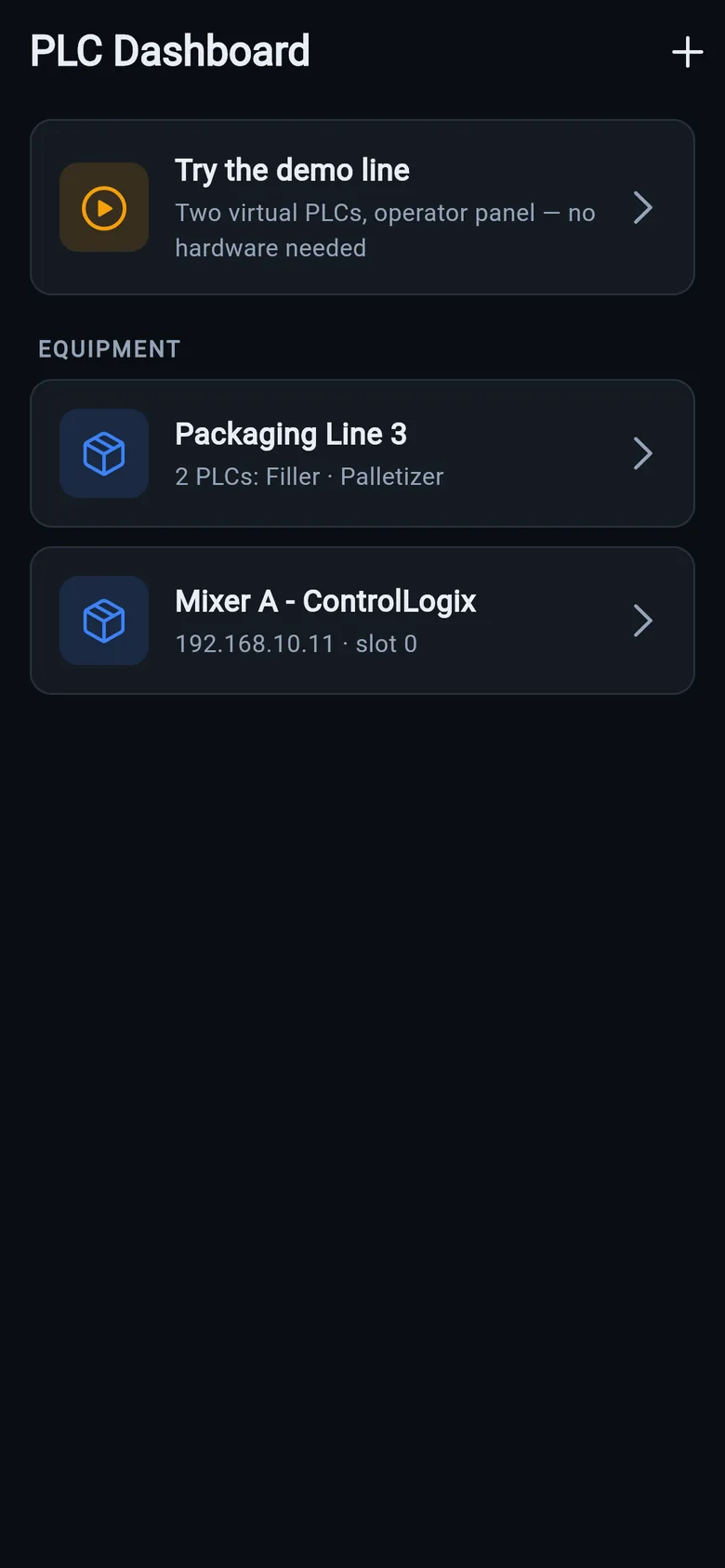
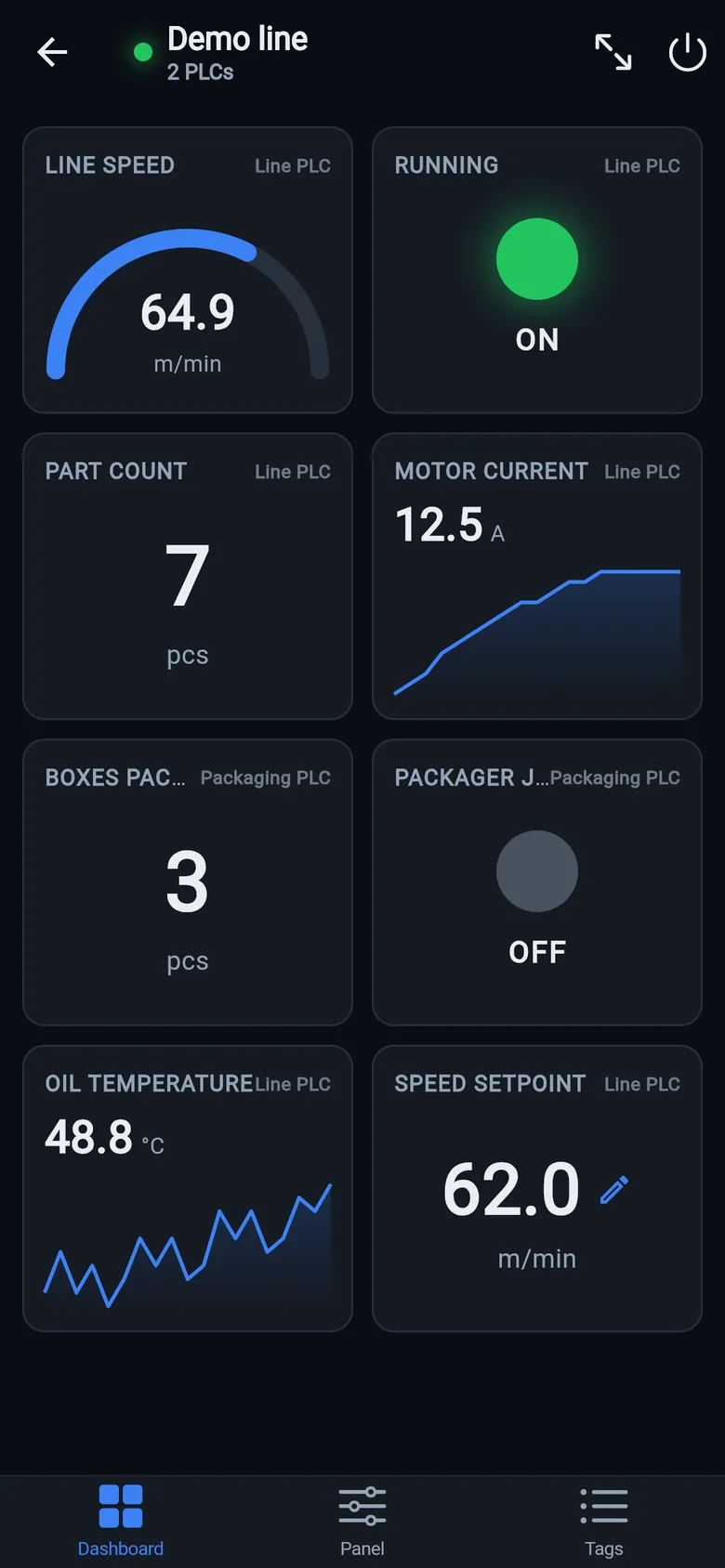
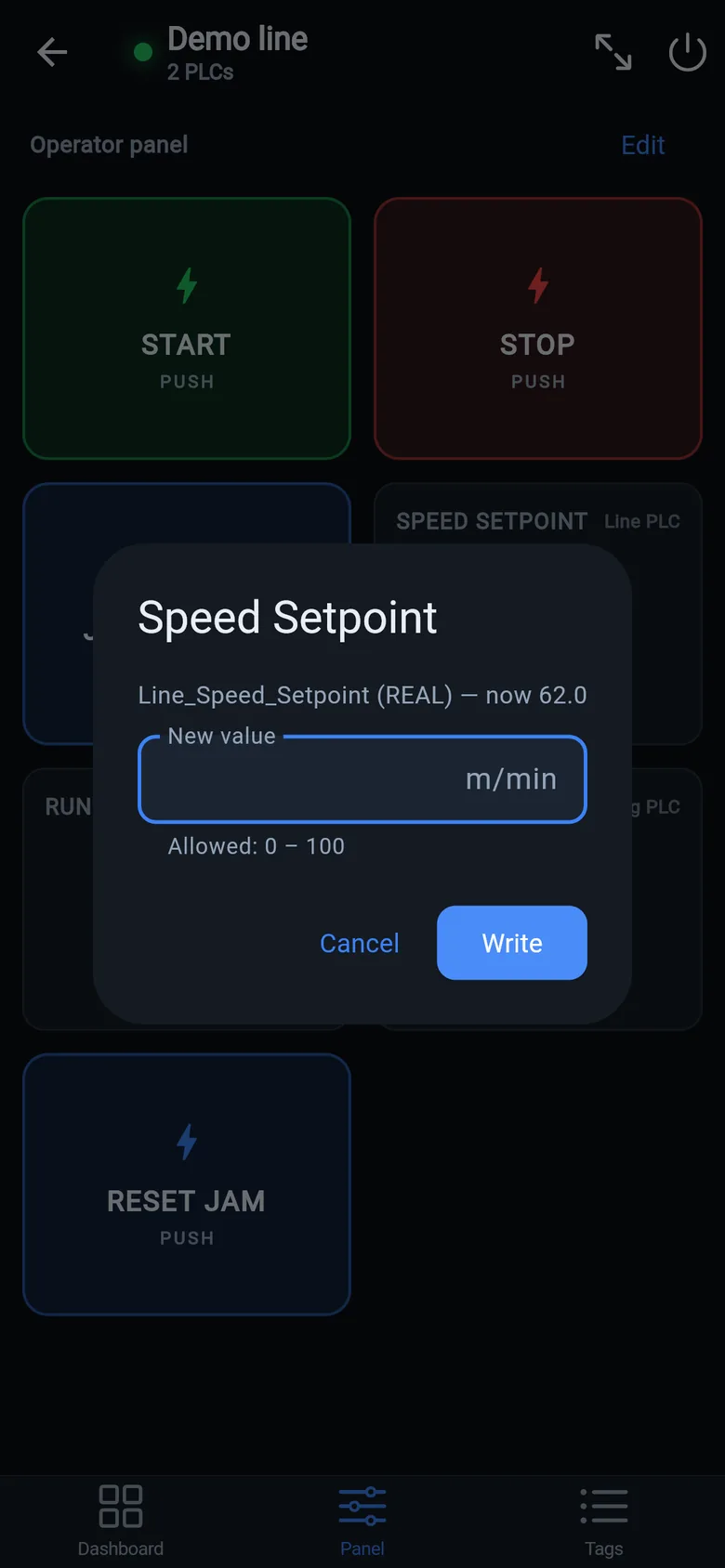
From "what's on this network?" to a working panel
- Get on the device's network. Plant Wi-Fi that routes to it, or a USB-C Ethernet adapter. If the phone can ping the device, the app can poll it.
- Scan — or type an IP. The scan finds Modbus TCP devices on the subnet; adding by hand is one field for the IP and one for the port (502 by default).
- Name your registers. Address, type, scaling — with the live preview confirming each one as you go. The map saves into the machine profile.
- Drop them on a dashboard. Values, gauges, LEDs, trends — organized into pages, every tile labeled with the device it reads.
- Add the panel buttons. Start/stop pulses, latching switches, setpoints, status lamps. Full-screen panel mode keeps the phone awake at the machine.
- Share the profile. Export it as a file — a colleague imports it and gets the whole register map and every screen on their phone.
Not just Modbus: the same app speaks EtherNet/IP to Allen-Bradley CompactLogix/ControlLogix — the controller hands over its own tag list, no Studio 5000 needed — and S7comm to Siemens S7-300/400/1200/1500. One machine in the app can mix all three behind a single dashboard and panel. See the full app tour →
Hardware that puts serial Modbus devices on the network: an RS-485 device needs a Modbus RTU to TCP gateway, an RS-232 device a serial-to-Ethernet one, and a long RS-485 run wants 120 Ω termination. A USB-C Ethernet adapter or a pocket Wi-Fi bridge puts the phone on the same network. What each one is for, and when you don't need it, is on the gear list.