What you're actually replacing
The 550 came as keypad (2711-K5A), keypad-and-touch (-B5A) and touch (-T5A) variants — and, more importantly, in a spread of communication options: DH-485, DH+, Remote I/O, RS-232, DeviceNet. The display is replaceable; the comms variant is the trap. Whatever you migrate to must either speak to the existing SLC-500 / PLC-5-era controller or wait for the controller's own migration. Read the full catalog string off the rear label before pricing anything.
The four paths
| Path | Time | Honest catch |
|---|---|---|
| Used / refurb 550 | Days | No software work — but same 20+ year age, scarcity pricing, and any future change still needs unobtainable PanelBuilder32 |
| Repair your unit | 1–2 weeks | Backlight, keypad and power sections are routinely rebuilt ($300–$1,000). Buys years, changes nothing about the dead end |
| Migrate to PanelView Plus 7 | Weeks | Rockwell's official path (migration guide 2711P-AP006): 550 variants map to the 6″ Plus 7 class with adapter plates for the cutout. .pba projects do not convert — displays are rebuilt in FactoryTalk View ME. And the Plus 7 is EtherNet/IP-first: a DH+ or Remote I/O 550 needs a comms bridge, or the panel migration waits for the PLC migration |
| Migrate to PanelView 800 | Weeks | Cheaper hardware, free CCW software, DH-485 available for MicroLogix / SLC 5/03 systems — same rebuild-by-hand story, and no DH+ / Remote I/O |
The sequencing advice nobody gives
If the controller behind the 550 is itself a legacy SLC or PLC-5, don't migrate the panel twice. Bridge the outage now (used unit or repair), and plan one coordinated migration — controller and panel together — on your schedule. A panel rebuilt today against SLC addressing gets rebuilt again when the controller goes Logix.
Honest limitation: if your controller only speaks DH-485 or DH+, a phone can't reach it directly either — the bridge options below apply to Ethernet-capable controllers. Where your 550 hangs off a Logix controller, the phone screen works today; SLC 5/05 and MicroLogix need LineKeeper On (on preorder), which reads their data files directly.
Keep producing while you wait
Have the FactoryTalk project export? Drop it into our free HMI project converter — it runs in your browser, the file never leaves your PC, and your displays' buttons, indicators and values become app pages with the real tag names already in place. Graphics and alarm logic aren't carried over, and it takes the project export — a bare .mer runtime can't be converted.
Today, from a phone: the free LineKeeper Go for iPhone and iPad connects to your ControlLogix or CompactLogix over EtherNet/IP and reads the controller's own tag list — no export files, no configuration. Build a dashboard in about 15 minutes — the operator panel's start/stop buttons come once the right tags are identified, ideally mapped in advance. Mount a spare iPad in full-screen panel mode, and the operator has a screen before the first repair quote arrives. Reading is free; writes are a one-time unlock with confirmation and limit checks on every value.
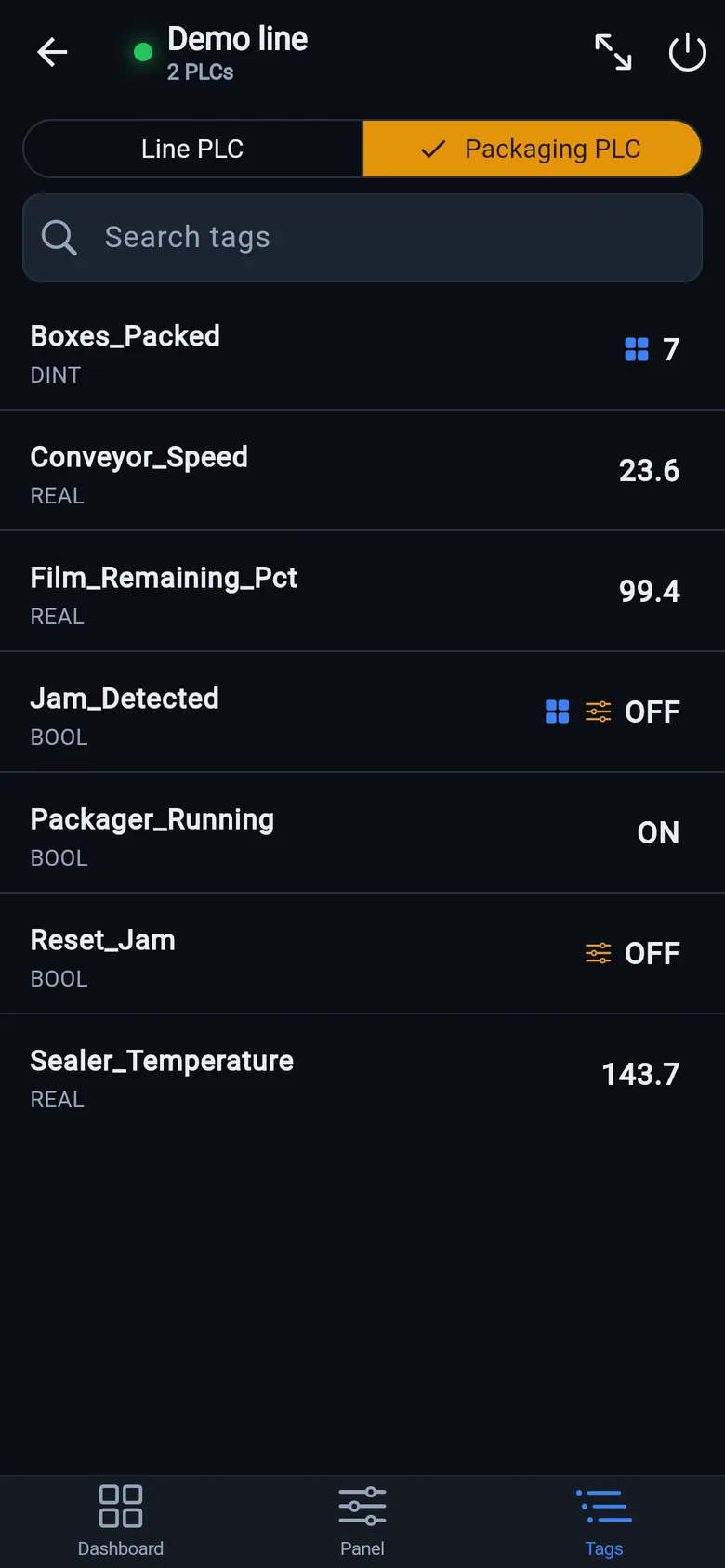
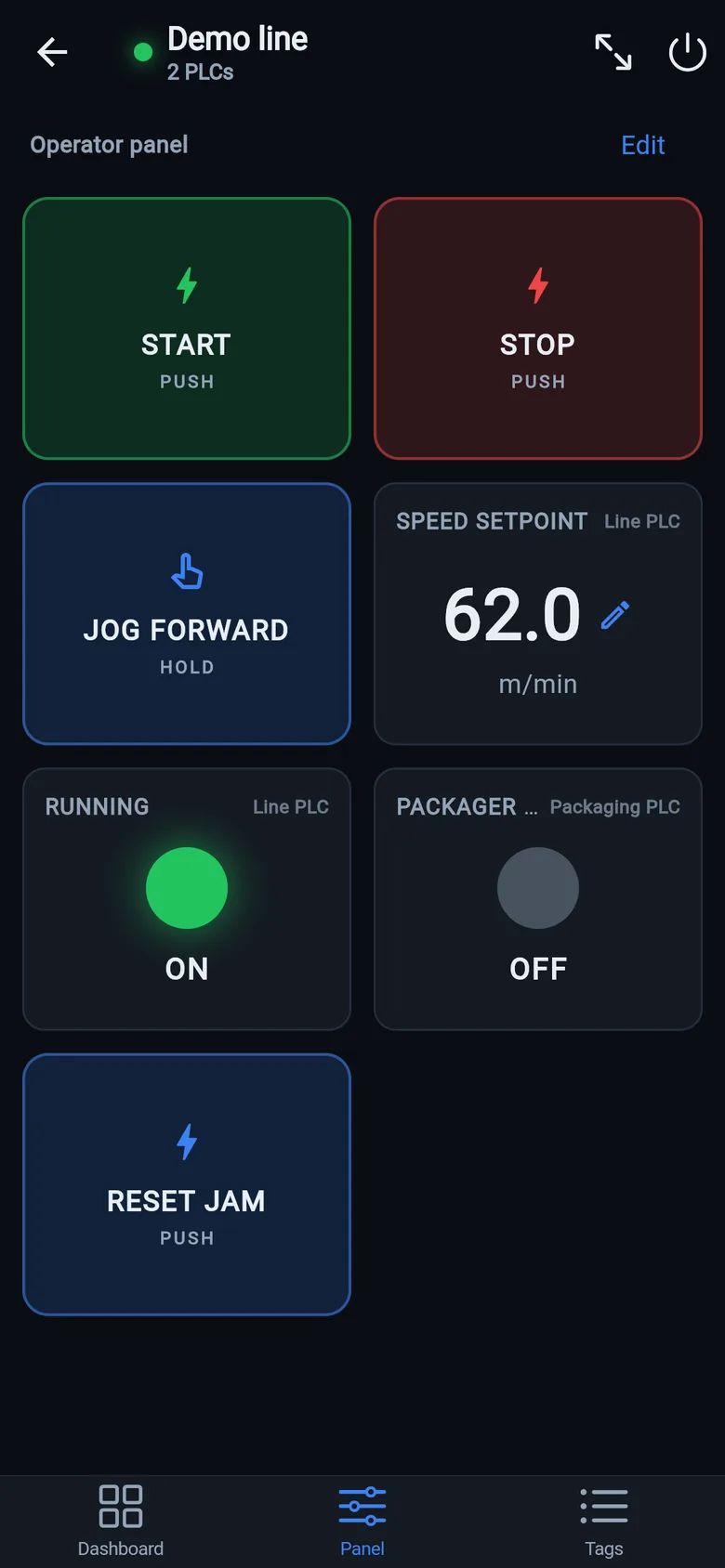
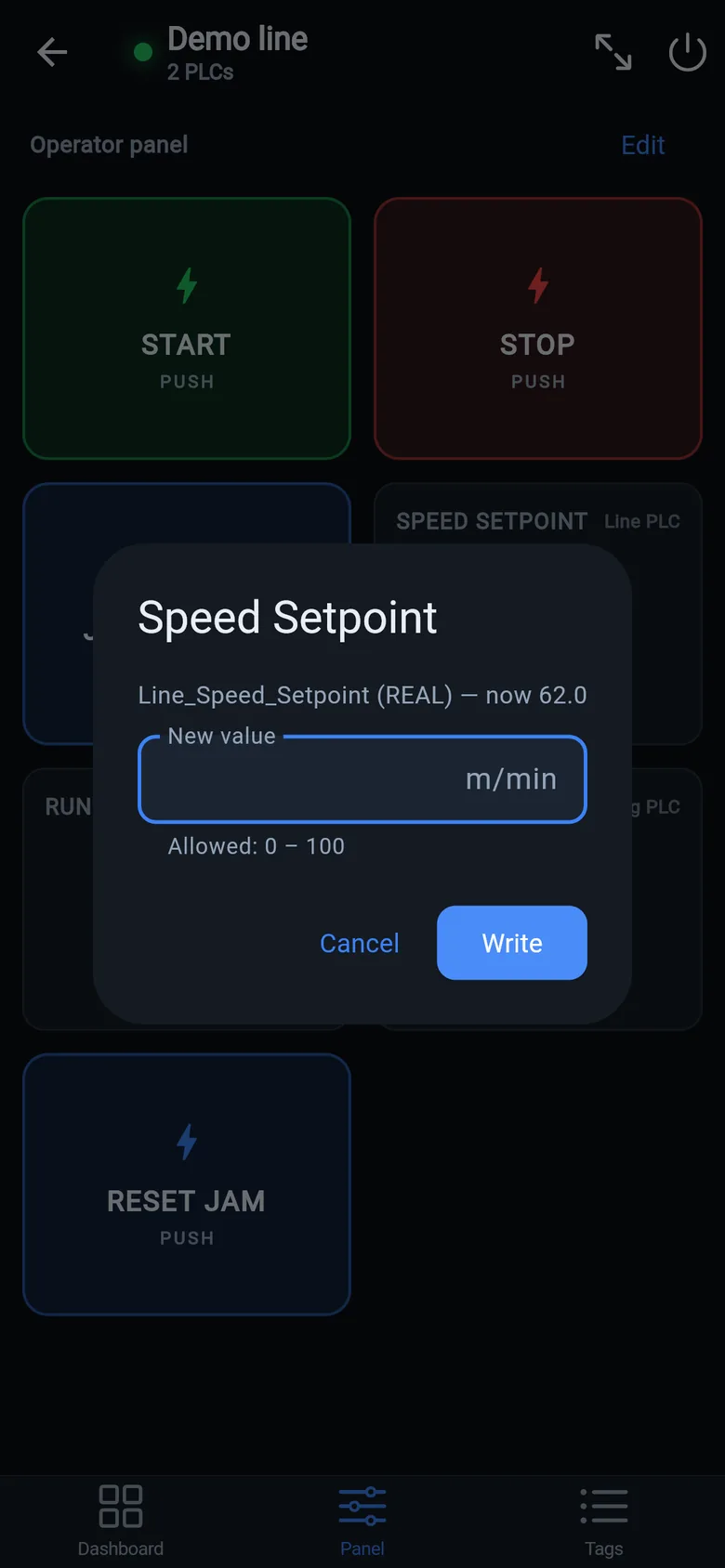
A temporary screen in minutes
Zero-config tag browser for Logix, drag-and-drop dashboard, operator panel, alarms — no changes to the PLC logic.
 On a desktop? Scan with your iPhone or iPad to get the free app.
For the machine itself: LK On is a self-contained 7″ or 10″ touchscreen built to stand on the machine while the replacement panel is repaired or shipped — the same drag-and-drop screens, plus what a phone shouldn't carry:
- Live view of every mapped tag, refreshed twice a second — plus per-tag unlocked writes, confirmed and audit-logged
- Operator panel: start/stop, indicators, setpoints — hold-to-run releases when your finger lifts (not a safety function)
- Stays useful after the repair: data logging, dashboards, machine diagnostics
Small hardware that helps while the panel is out: a Wi-Fi bridge or a USB-C Ethernet adapter to get the phone onto the machine network, a pole-mount arm for the temporary screen, an IP67 box for the bridge. What each one is for, and when you don't need it, is on the gear list.