First: the 10-minute triage
Before anyone orders anything, work through this list. A surprising share of "dead panels" turn out to be something cheaper.
- Is the machine still running? If yes — the PLC is healthy and this is a visibility problem, not a control problem. Breathe.
- Panel power. Check the 24 VDC supply feeding the panel and its fuse. Panel power supplies fail far more often than panels.
- The flashlight test. Screen black but the power LED is on? Shine a flashlight at the screen at an angle. If you can faintly see the picture, the backlight is dead — the panel itself works, and a backlight/display repair is much cheaper than a replacement.
- Communications. If the panel boots but shows comm errors, check the Ethernet cable, the switch port and the PLC's link LEDs. The panel may be fine.
- One clean power cycle. Remove power for 30 seconds, restore it, let it boot fully. Firmware lockups happen; one restart is diagnosis, not superstition.
Still dead after all five? Now it's a real panel failure. Here are your options, honestly.
Know the brand? Jump straight to the matching guide: PanelView Plus 7 not working · PanelView touchscreen not responding · PanelView Plus 1000 replacement · PanelView alternatives compared · Siemens HMI not working · Siemens HMI replacement.
First aid: eyes and buttons on the machine, today
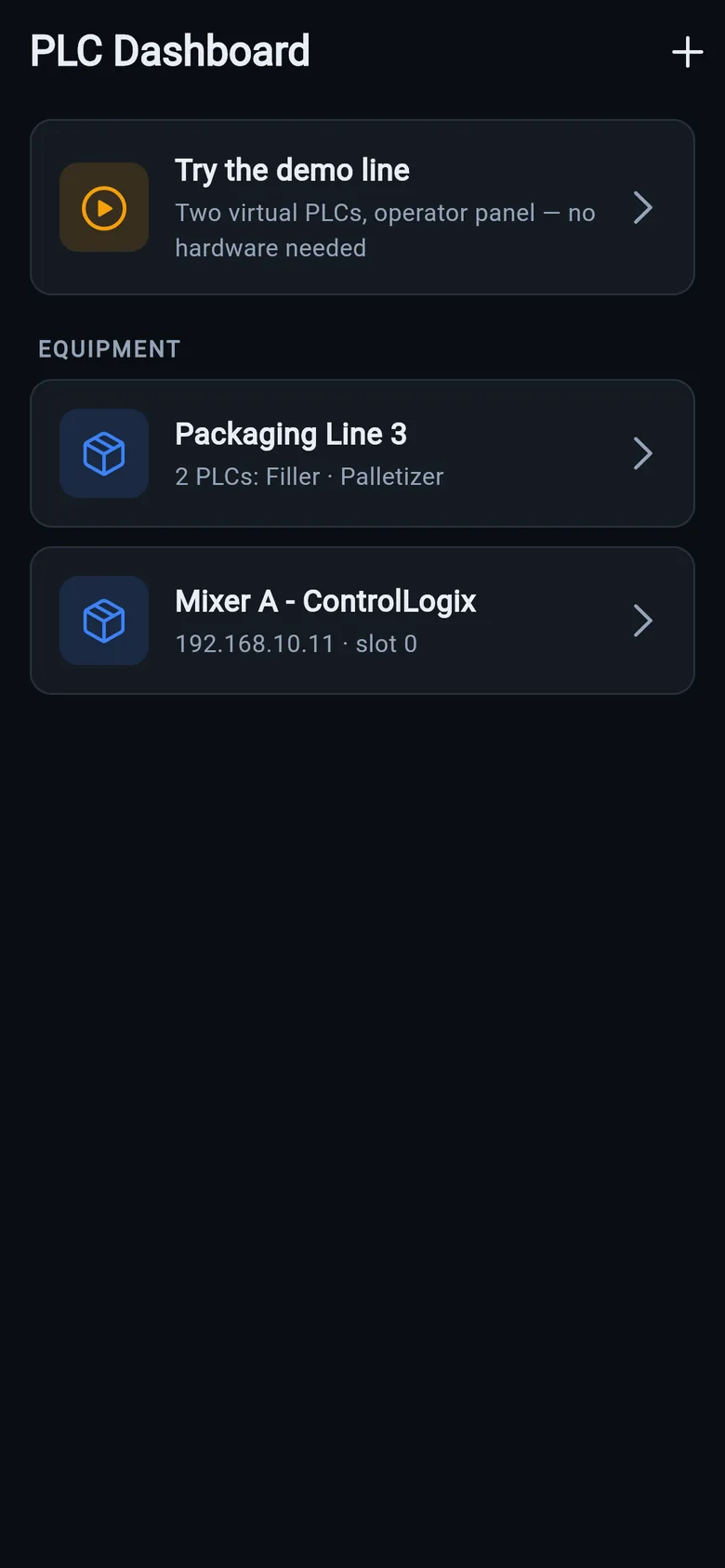
Before any hardware ships, a phone on the PLC's network can be the temporary screen. The free LineKeeper Go for iPhone and iPad speaks the same protocols the dead panel used — EtherNet/IP to Allen-Bradley CompactLogix/ControlLogix, S7comm to Siemens S7-300/400/1200/1500, Modbus TCP to everything else — straight to the controller, with no PLC program changes and no cloud.
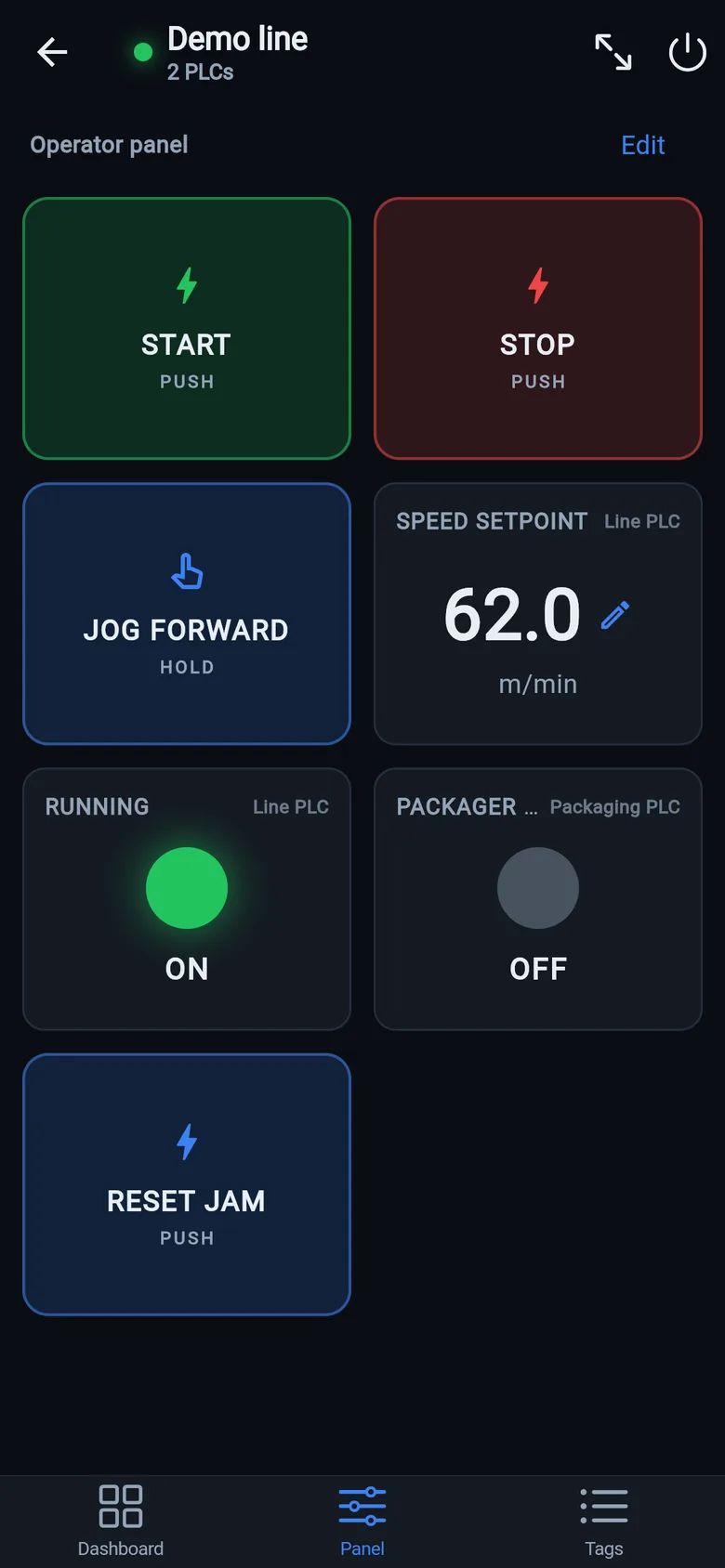
- ~15 minutes to a live dashboard: one network scan finds the PLC, Logix controllers hand over their whole tag list automatically, and drag-and-drop builds the screen — start/stop buttons once the right tags are identified.
- Alarms included: alarm words map to operator texts, with a red banner and a journal of appeared and cleared events.
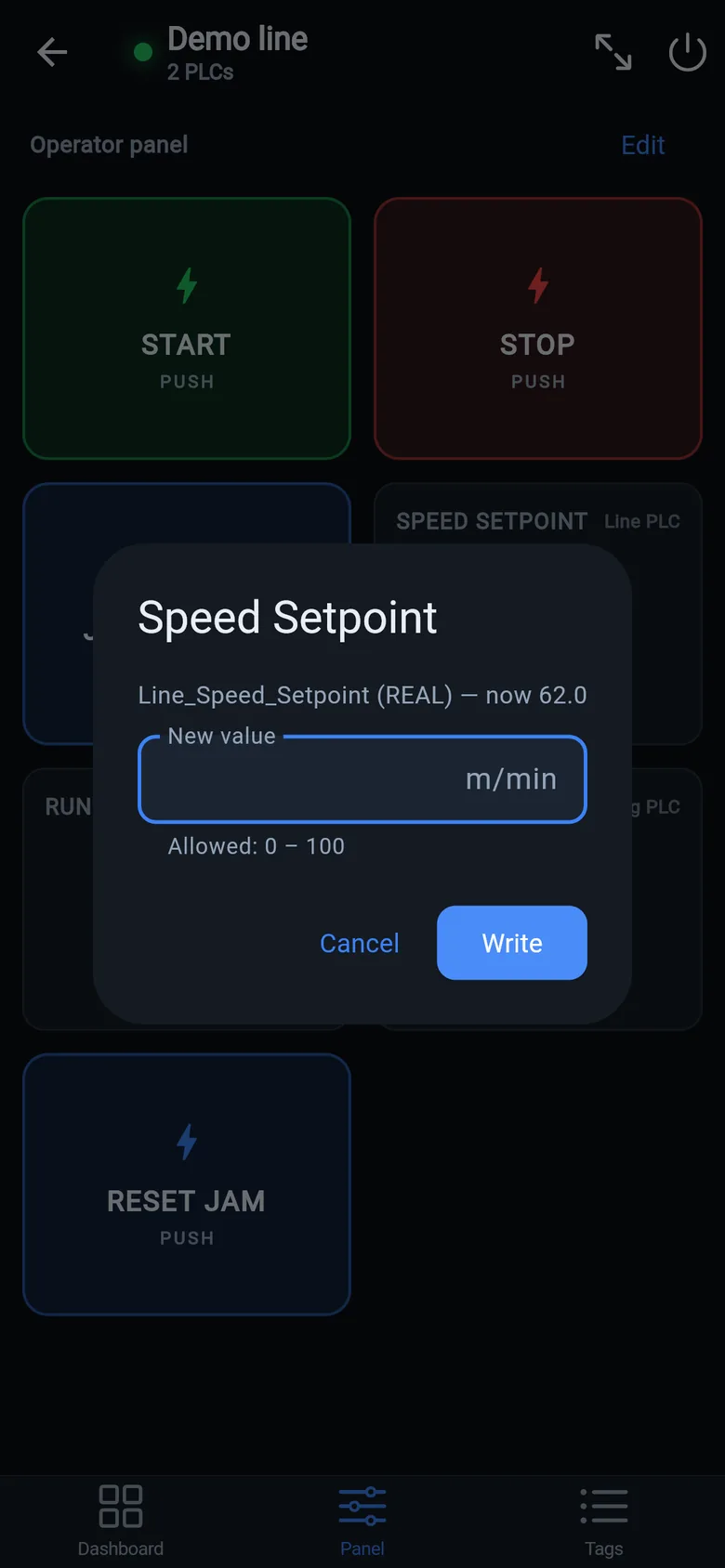
- Writes are guarded: reading is free; start/stop/setpoint writes are a one-time unlock — confirmation on every write, values checked against limits, hold-to-run releases if the app loses focus.
Put a screen on the machine while you decide
Mount a spare iPad in full-screen panel mode and the operator has big glove-friendly buttons until the proper fix arrives.
 On a desktop? Scan with your iPhone or iPad to get the free app.
Step-by-step walkthrough for non-specialists: build an HMI screen without HMI software.
Your real options (with honest timelines)
| Option | Typical cost | Typical time | Watch out for |
|---|---|---|---|
| Phone as the screen (free LK Go app) | Free · writes are a one-time unlock | ~15 minutes to live values, today | A bridge, not a certified panel — pair it with a proper fix below |
| Repair service (backlight, touch, PSU) | $300–$1,000 | 1–2 weeks + shipping | Line is dark the whole time |
| Used unit (eBay etc.) | $500–$2,500 | Days, if you're lucky | No warranty, unknown hours, config transfer still needed |
| New replacement panel | $1,500–$4,000 | 2–6 weeks lead time | Plus converting & downloading the panel project |
| LineKeeper On (bridge on the machine) | $800 7″ · $900 10″ — one-time | On preorder — ships within 8 weeks of order, full refund before shipping, 30-day money-back after delivery; the free app covers the bridge today | Minimal by design — key values and buttons, not full HMI graphics |
These paths combine. The plants that lose the least money usually order the proper repair or replacement and bridge the gap so the line produces while they wait.
Worth keeping on the shelf before it happens: a USB-C Ethernet adapter or a pocket Wi-Fi bridge to get a phone onto the machine network, a small DIN-rail switch for when there is no spare port, spare patch cables and a cable tester. What each one is for, and when you don't need it, is on the gear list, next to a 24 V DIN-rail supply and a pole-mount arm for a screen on the machine.
How the bridge works
LK On is a self-contained touchscreen, 7″ or 10″, that plugs into the same network as your PLC — Allen-Bradley Logix, SLC-500/MicroLogix, PowerFlex drives, Siemens S7, Modbus TCP/RTU or OPC UA. It reads the controller directly — the PLC program is never modified.
- Plug in — power + Ethernet into the machine network.
- Type the PLC's IP address — on Logix every tag appears automatically, live, twice a second; on S7 and Modbus you name the points you need.
- Assemble the operator screen — drag-and-drop the start/stop buttons, indicators and setpoints your operator needs. No programming, no licensed engineering software.
Afterwards it stays useful: data logging, dashboards, and diagnostics for the machine — it keeps working next to the new panel once that one arrives. See the device →