The short answer: you can build a working HMI screen with the free LineKeeper app and nothing else — get the phone on the machine's network, let a scan find the PLC, and drag-and-drop the dashboard and operator panel from the controller's own tags. On an Allen-Bradley Logix it takes about 15 minutes; on Siemens S7 and Modbus you name the points once. No FactoryTalk, no WinCC, no integrator. The steps are below — first, why it usually isn't this easy.
Why machine screens became gate-kept
Every factory HMI panel is the output of specialized engineering software — FactoryTalk View for Allen-Bradley panels, WinCC inside TIA Portal for Siemens. The licenses cost thousands, the project file usually lives with the OEM or the integrator who built the machine, and changing so much as a button label means finding the person with both. (If you can get that project export, the free in-browser HMI converter rebuilds the old screens' buttons, indicators and values for the app — no redrawing. Graphics and alarm logic aren't carried over.)
Which is why so many machines run half-blind: the panel shows what someone chose to show in 2014, the interesting values are buried three menus deep, and adding a screen for the new fault everyone keeps chasing is "a project".
The PLC doesn't care. It answers the same protocols for anyone on the network — an HMI panel, a laptop, or a phone. That's the whole trick.
What you need
- The free LineKeeper Go app on an iPhone or iPad.
- A connection to the machine's network — plant Wi-Fi that routes to the PLC, or a USB-C Ethernet adapter. If a laptop there can ping the PLC, the app can connect.
- Nothing else. No accounts, no cloud, no changes to the PLC logic — the app talks the same protocols an HMI uses: EtherNet/IP for Allen-Bradley CompactLogix and ControlLogix, S7comm for Siemens S7-300/400/1200/1500, Modbus TCP for everything else — drives, meters, Schneider and Click PLCs.
Want to try before you're at the machine? The app ships with a built-in demo line — two virtual PLCs with moving values, a packager that jams and wants its reset, start/stop/jog that actually work. Every step below can be rehearsed from the couch.
Building the screen, step by step
- Add the machine, scan the network. Create a piece of equipment — a line, a filler, a press. One scan sweeps the subnet and fingerprints every EtherNet/IP, S7 and Modbus device on it; tap a card and the connection form is prefilled. A machine with several PLCs — even mixed brands — lives in the app as one thing.
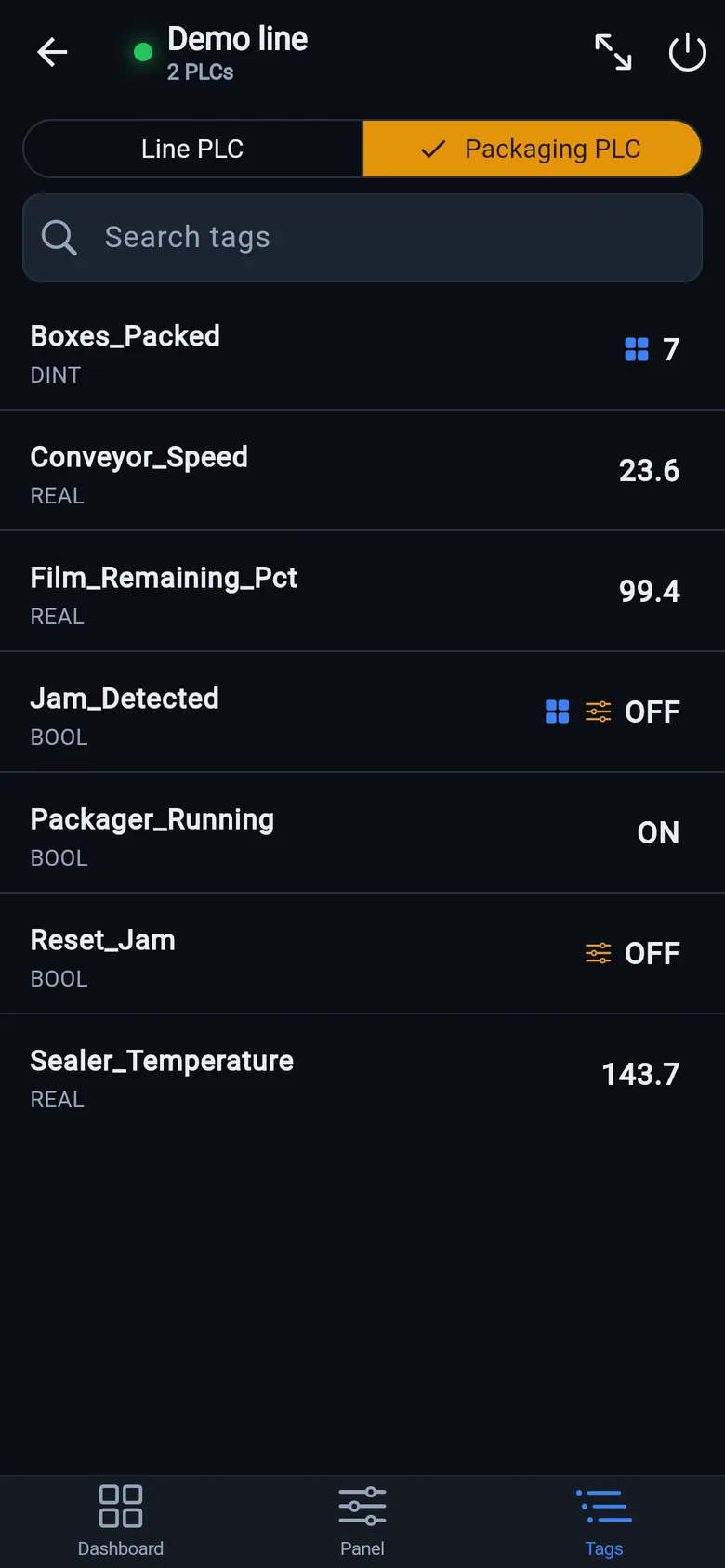
- Let the tags come to you. On Allen-Bradley Logix the app reads the controller's own tag list — controller- and program-scoped, with types and live values, searchable. Nothing to export, nothing to configure.
- No tag names? Name your points once. On Siemens and Modbus, add the points you care about by address — DB1.DBD4, M0.0, 40001 — with type and scaling. The live preview shows the value as you type, so a wrong address is obvious before you save it.
- No documentation either? Let the machine show you. The patent-pending Find by action wizard finds a tag by pressing the machine's real pushbutton in the rhythm the app dictates — down to one bit inside an I/O word, on a running machine. Parameter mode finds a setpoint the same way: nudge it one step on the machine's own controls and the app spots the tag that changed — scales included.
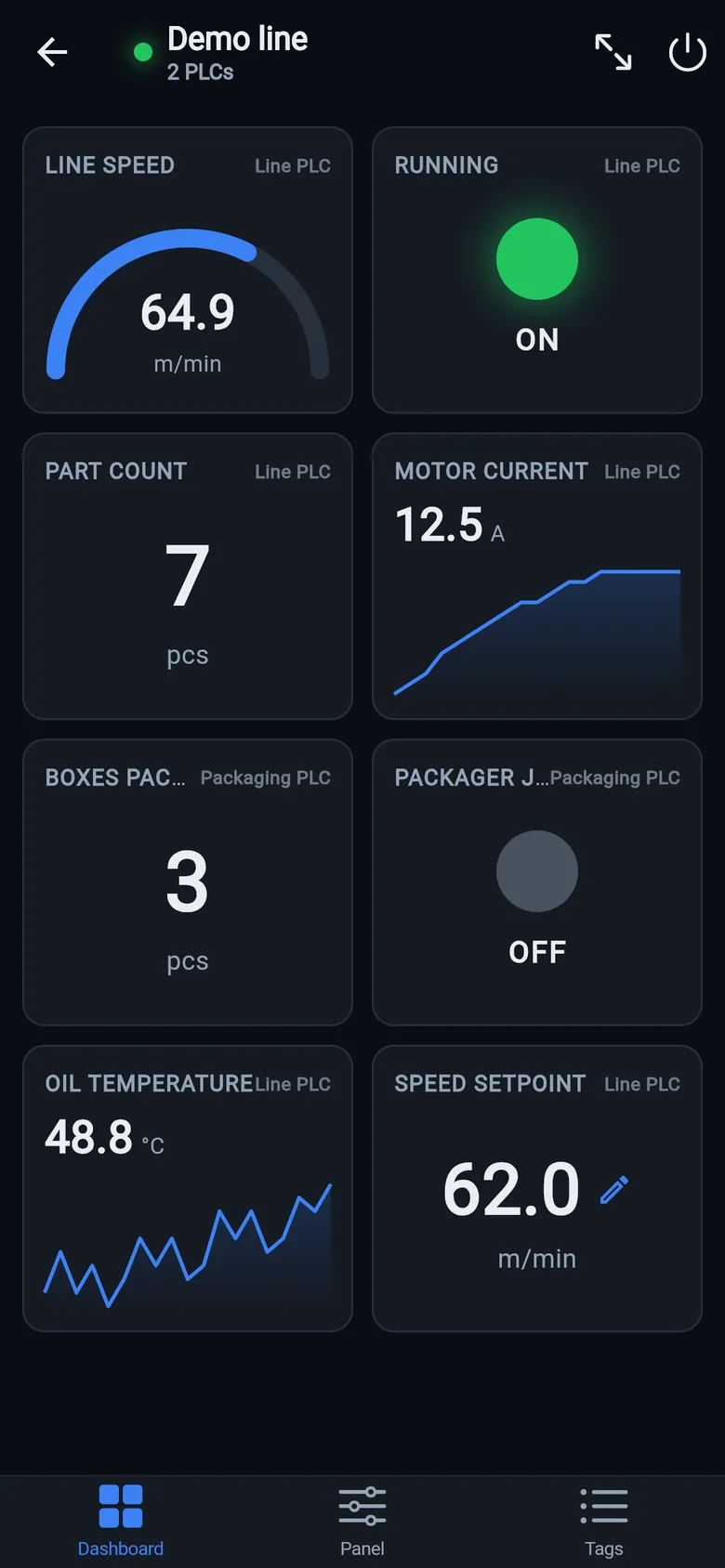
- Lay out the dashboard. Drop tags onto number, gauge, LED and trend tiles, organized into pages. Tiles from every PLC of the machine share one screen, each labeled with the controller it reads.
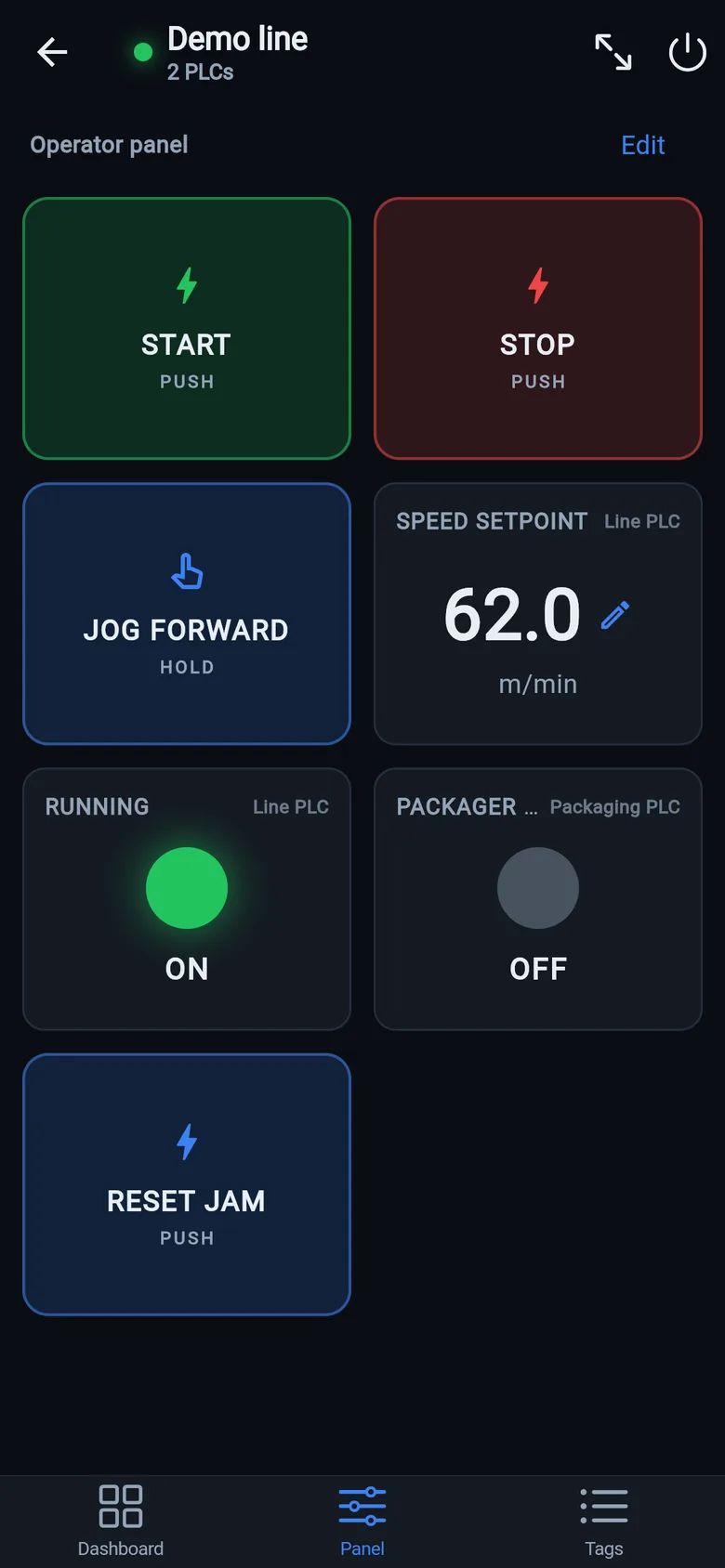
- Add the operator panel. Start/stop pulse buttons, hold-to-run jog, latching switches, setpoints with limits, status lamps. This is the part that turns "a monitoring app" into "the machine's screen".
- Map the alarms. Alarm words become operator texts — every bit of an INT or DINT one message. Active alarms show as a red banner over every tab, in an alarm list tile, and in a journal of appeared and cleared. When an unnamed bit fires, name it on the spot — the dictionary grows as the machine talks.
- Write values — deliberately. Every write asks for confirmation and is validated against the point's type and limits; hold-to-run releases the moment the app loses focus. Reading is free forever; writing is a one-time unlock, no subscription — the price of a coffee run, not a SCADA license.
- Share the result. The whole thing — PLCs, named points, dashboard, panel, alarm texts — is one machine profile. Export it as a file, send it to a colleague, and their phone has your exact screens. The screen you built once now belongs to the shift, not to a contractor.
When the machine needs a physical screen
A screen in your pocket is the troubleshooting tool. A screen on the machine is what the operator actually watches all shift. Two ways to get there:
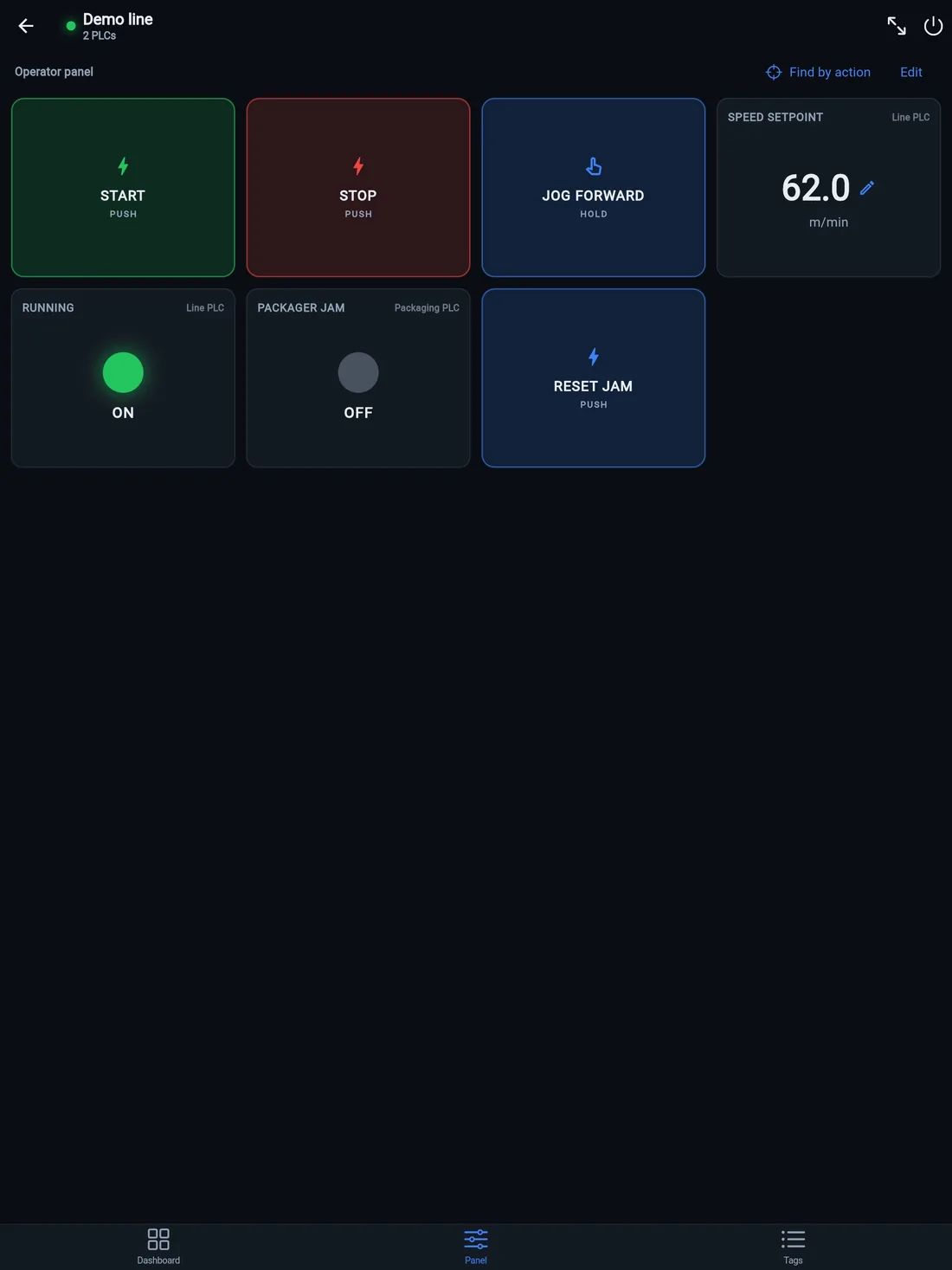
- Mount a tablet. Full-screen panel mode keeps the display awake, and on an iPad the same panel gets buttons big enough for gloves. A $30 wall mount and a spare iPad turn the screen you just built into the machine's screen — many plants stop here.
- Go permanent. For Allen-Bradley lines there's the LineKeeper On — a self-contained 7″ or 10″ industrial touchscreen that lives on the machine, built the same drag-and-drop way, and adds what a phone shouldn't carry: years of tag history, downtime statistics, machine health reports.

What this doesn't replace
Honesty corner: the app is not a safety device, and it doesn't replace certified operator stations where your regulations require them. Safety logic lives in the PLC and stays there. What the app replaces is the waiting — for the integrator's slot, for the license budget, for the panel that shows the wrong things to finally get updated.
Build your first screen tonight
Install free, open the demo line, and have a working dashboard before your coffee cools. Tomorrow, point it at a real machine.
 On a desktop? Scan with your iPhone or iPad to get the free app.