Find your family by catalog number
| Catalog prefix | Family | Status | Migration path |
|---|---|---|---|
| 2711- | PanelView Standard (300, 550, 600, 900, 1000, 1400) | Retired years ago; PanelBuilder32 no longer sold | Plus 7 or PanelView 800 — projects rebuilt (.pba doesn't convert) |
| 2711C- | PanelView Component (C200…C1000) | Retired | PanelView 800 — CCW imports the application |
| 2711P- | PanelView Plus / Plus 6 (400, 600, 700, 1000, 1250, 1500) | Plus 6 discontinued end of 2022; Remote I/O and DeviceNet versions earlier | Plus 7 — .mer carries forward with firmware care; see the worked decision guide |
| 2711P- | PanelView Plus 7 Standard / Performance, Series A | Series A production wound down from late 2021; Series B is current | Plus 7 Series B — near drop-in; verify firmware and cutout revision |
| 2711R- | PanelView 800 | Active (entry level) | — |
| 2715 / 2715P- | PanelView 5310 / 5510 | Active (Logix-native, View Designer) | — |
Dates summarize Rockwell lifecycle announcements; always confirm your exact catalog number's status on the Rockwell product lifecycle page before budgeting a migration.
What "obsolete" actually changes for you
- Spares dry up, prices invert. Used and refurbished units of popular retired models often cost more than a bigger, newer panel — scarcity pricing. The longer you wait, the worse the trade.
- The software chain is the real wall. PanelBuilder32 is unobtainable, old FactoryTalk View versions have licensing and OS problems, and every year makes the project files harder to open, let alone edit.
- Repair services keep old units alive — backlights, touch layers and power sections are routinely rebuilt for $300–$1,000. That's a legitimate bridge, but it buys time; it doesn't remove the cliff.
- Plan the migration before the failure. A migration chosen calmly costs a planned weekend. The same migration during an outage costs expedited freight, overtime and scrapped production.
When an obsolete panel dies mid-shift
| Path | Time | Honest catch |
|---|---|---|
| Used / refurb same model | Days | Same age, same failure modes, scarcity pricing — and you still can't edit the project |
| Repair the unit | 1–2 weeks | Good bridge for display/power faults; doesn't help a dead logic board on a 20-year-old terminal |
| Migrate now | Days to weeks | Hardware ships fast; the project rebuild or conversion is the real timeline — see the per-model guides |
| Bridge first, migrate calmly | ~15 minutes to live values | A phone or iPad becomes the operator screen today; the migration happens on your schedule, not the outage's |
Per-model guides: PanelView 550 · PanelView 600 · PanelView Plus 1000 · PanelView 800 · third-party alternatives compared.
Keep producing while you wait
Have the FactoryTalk project export? Drop it into our free HMI project converter — it runs in your browser, the file never leaves your PC, and your displays' buttons, indicators and values become app pages with the real tag names already in place. Graphics and alarm logic aren't carried over, and it takes the project export — a bare .mer runtime can't be converted.
Today, from a phone: the free LineKeeper Go for iPhone and iPad connects to your ControlLogix or CompactLogix over EtherNet/IP and reads the controller's own tag list — no export files, no configuration. Build a dashboard in about 15 minutes — the operator panel's start/stop buttons come once the right tags are identified, ideally mapped in advance. Mount a spare iPad in full-screen panel mode, and the operator has a screen before the first repair quote arrives. Reading is free; writes are a one-time unlock with confirmation and limit checks on every value.
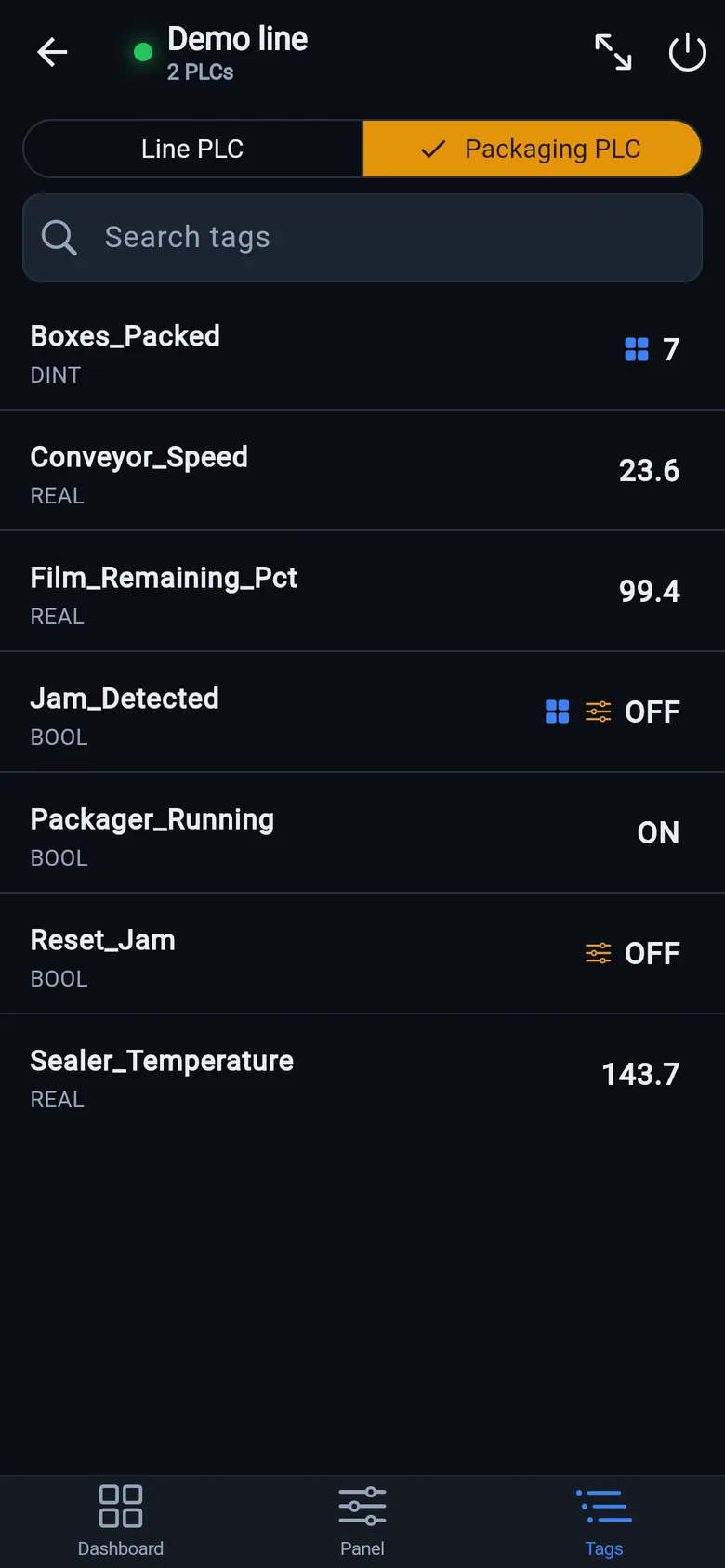
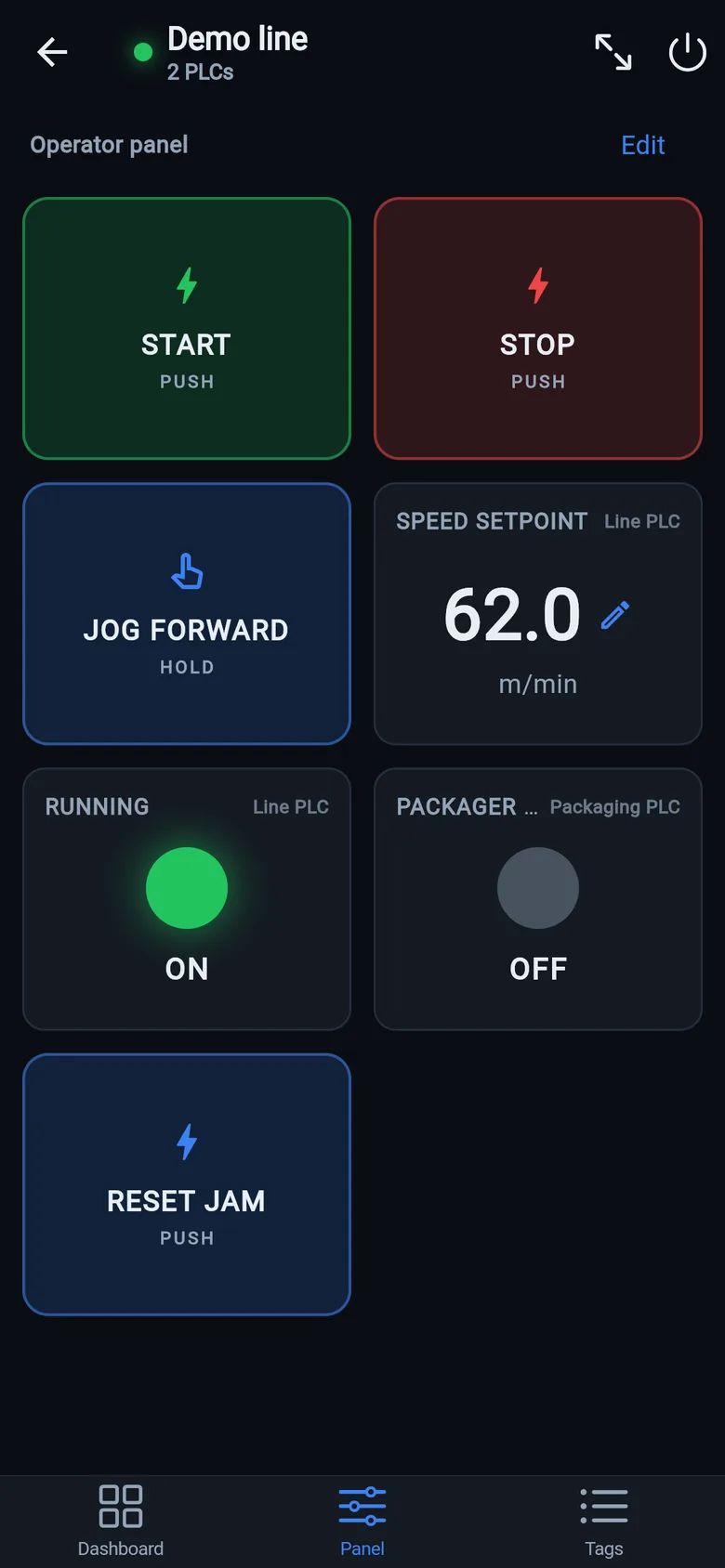
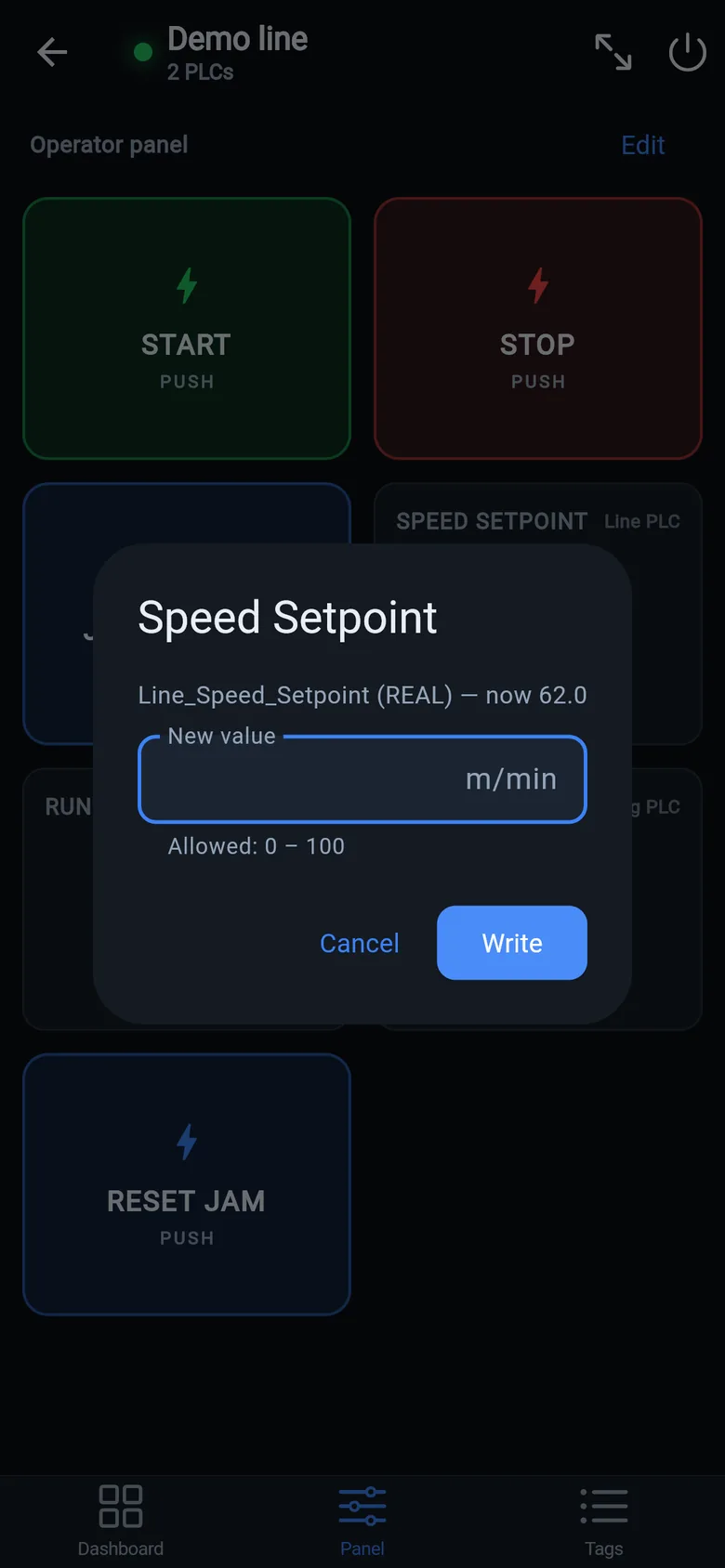
A temporary screen in minutes
Zero-config tag browser for Logix, drag-and-drop dashboard, operator panel, alarms — no changes to the PLC logic.
 On a desktop? Scan with your iPhone or iPad to get the free app.
For the machine itself: LineKeeper On is a self-contained 7″ or 10″ touchscreen built to stand on the machine while the replacement panel is repaired or shipped — the same drag-and-drop screens, plus what a phone shouldn't carry:
- Live view of every mapped tag, refreshed twice a second — plus per-tag unlocked writes, confirmed and audit-logged
- Operator panel: start/stop, indicators, setpoints — hold-to-run releases when your finger lifts (not a safety function)
- Stays useful after the repair: data logging, dashboards, machine diagnostics
Small hardware that helps while the panel is out: a Wi-Fi bridge or a USB-C Ethernet adapter to get the phone onto the machine network, a pole-mount arm for the temporary screen, an IP67 box for the bridge. What each one is for, and when you don't need it, is on the gear list.